

Daily maintenance of a PCB router machine does not require complicated procedures. The main goal is to keep the machine clean, check the cutting tools, and make sure the positioning and dust collection systems remain stable.
1. Clean the Worktable and Cutting Area Daily
PCB routing produces dust and small debris, so the main cutting area should be cleaned every day.
- Worktable surface
- Fixture or vacuum-nozzle area
- Around the spindle
- Dust extraction inlet
Preventing dust buildup helps maintain stable PCB positioning, vacuum performance, and machine movement.
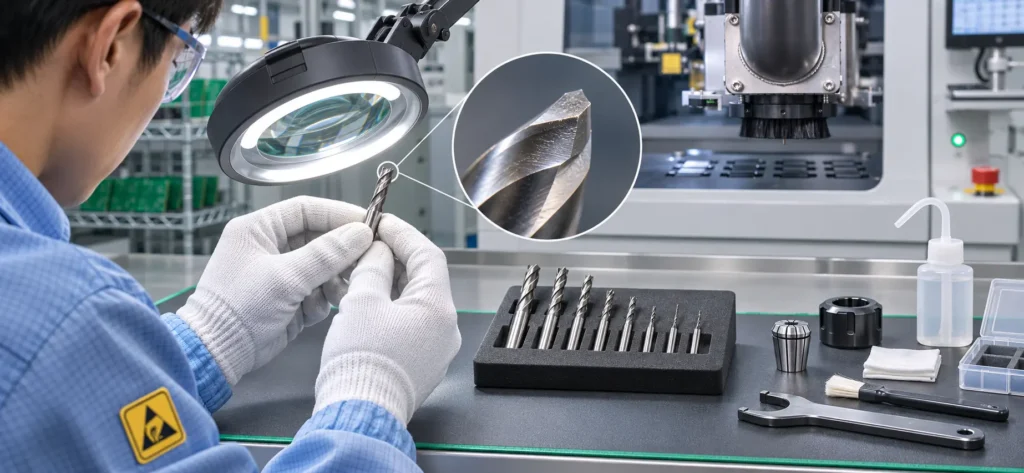
2. Check the Router Bit Condition
Router bits are frequently used consumables and should be inspected regularly.
- Check for visible wear
- Check for damaged cutting edges
- Watch for rougher PCB edges
- Check whether burrs are increasing
If cutting quality starts to decline, the router bit should be replaced in time.
3. Check the Spindle Condition
During production, pay attention to any changes in spindle operation.
- Abnormal noise
- Excessive vibration
- Unusual temperature
- Unstable spindle speed
If any abnormal condition appears, stop production and inspect the spindle and router-bit installation before continuing.
4. Check CCD Vision and PCB Positioning
The CCD camera and positioning area should remain clean to maintain accurate PCB recognition.
- Check Mark-point recognition
- Confirm positioning accuracy
- Check whether the PCB is fixed securely
- Confirm that the cutting position has not shifted
Positioning problems can directly affect the final routing accuracy.
5. Check the Dust Collection System
The dust collection system should also be checked as part of daily maintenance.
- Confirm the dust collector starts normally
- Check whether the extraction pipe is blocked
- Remove debris around the suction inlet
- Check whether suction strength has decreased
Stable dust extraction helps reduce PCB surface residue and keeps the machine interior cleaner.
6. What Abnormal Changes Should You Watch for During Production?
If any of the following changes appear, stop the machine and check the cause:
- Burrs suddenly increase
- Cutting position starts to shift
- Dust residue becomes noticeably heavier
- Spindle noise or vibration becomes abnormal
These changes often indicate that the router bit, positioning system, dust collection system, or spindle condition has changed.
7. Conclusion
Daily PCB router machine maintenance should focus on cleaning, router-bit inspection, spindle condition, CCD positioning, and dust collection.
Consistent basic maintenance helps maintain stable cutting quality and reduces unexpected production downtime.
If your SEPRAYS PCB router machine develops cutting, positioning, spindle, or dust collection problems, you can provide the machine model, alarm information, or on-site video for technical analysis and maintenance support.
Email: millie@seprays.com
WhatsApp: +86 139 2552 7370