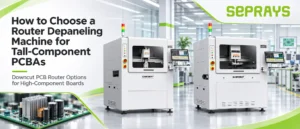

Tall components can reduce the available space around the routing area and affect which router structure is suitable.
The following steps can help you quickly determine the right machine direction.
1. What Matters Most for Tall-Component PCBAs?
When choosing a router depaneling machine for tall-component PCBAs, focus on four factors:
Component Height → Routing Clearance → Router Structure → Positioning Accuracy
The main question is whether the cutting head can reach the complete routing path without interfering with nearby components.
If the available space above the PCBA is limited, the machine structure becomes especially important.
2. Use This Simple 4-Step Selection Method
The selection process can be simplified into four steps:
Step 1 → Confirm the Maximum Component Height
Step 2 → Check Clearance Around the Cutting Path
Step 3 → Choose Upcut or Downcut Routing
Step 4 → Verify the Actual PCBA Before Final Selection
These four checks are usually enough to narrow down the suitable machine type before comparing detailed specifications.
3. Check Component Height and Routing Clearance
Start by measuring the maximum component height and checking the available space around the routing path.
- maximum upper-side component height;
- distance from components to the cutting line;
- available space around curves and corners;
- clearance for the spindle and dust-collection structure.
The machine must provide enough clearance for the complete routing path, not just one section of the board.
4. Choose an Upcut or Downcut PCB Router Machine
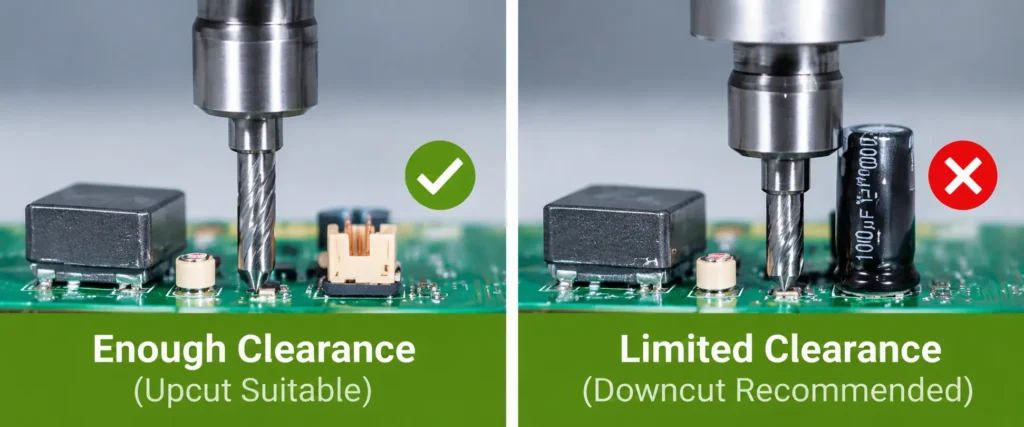
Choose an Upcut PCB Router Machine When:
- there is enough clearance above the PCBA;
- tall components do not interfere with the cutting head;
- the routing path is easily accessible from the upper side.
Choose a Downcut PCB Router Machine When:
- tall components restrict the available space above the PCBA;
- the spindle or dust-collection structure may interfere with components;
- more usable clearance is required above the board.
If upper-side component height limits tool access, prioritize a Downcut PCB Router Machine. If clearance is sufficient, an Upcut PCB Router Machine can remain a practical choice.
5. Check Clearance Around the Cutting Area
Even after choosing the cutting direction, the actual working space still needs to be confirmed.
- component-to-cutting-path distance;
- spindle clearance;
- dust-collection clearance;
- access to narrow routing areas.
Always evaluate the routing path together with the actual component layout.
6. Positioning Accuracy Still Matters
When components are close to the cutting path, accurate positioning becomes more important.
CCD vision can help confirm the PCBA position before cutting and reduce routing-position deviation.
The smaller the clearance around the cutting path, the more important positioning accuracy becomes.
7. Quick Selection Guide for Tall-Component PCBAs
| PCBA Condition | Recommended Direction |
|---|---|
| Enough space above the PCBA | Upcut PCB Router Machine |
| Tall components restrict upper-side tool access | Downcut PCB Router Machine |
| Components are close to the routing path | Check clearance and vision positioning |
| Routing path includes narrow areas | Verify spindle and dust-collection clearance |
| Clearance cannot be confirmed from drawings | Use actual PCBA evaluation or trial cutting |
8. SEPRAYS Downcut PCB Router Options for Tall-Component PCBAs
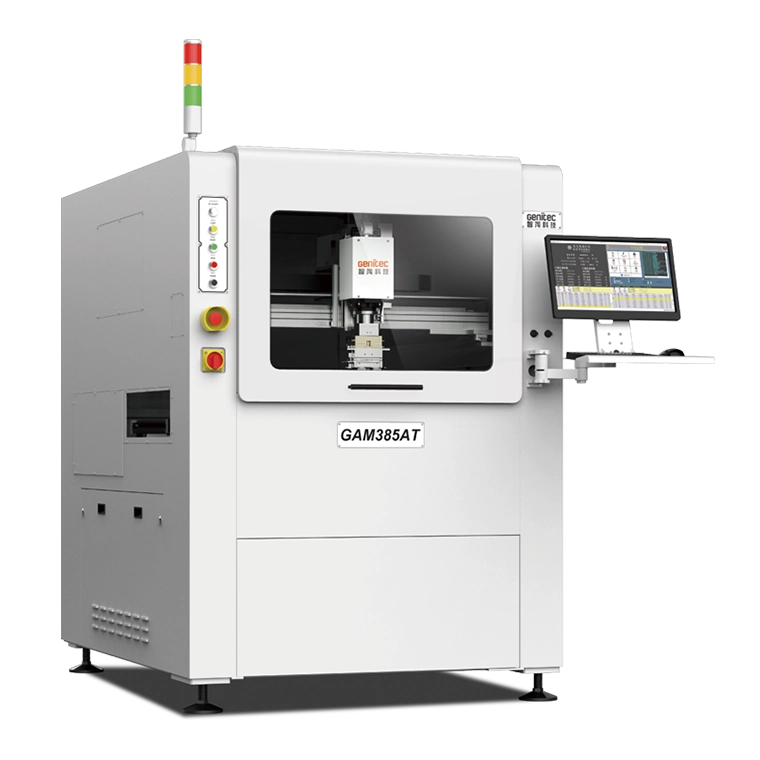
GAM385AT Downcut PCB Router Machine (without fixture)
The GAM385AT uses a downcut structure with gripper-held cutting and no dedicated fixture required.
- Upper-side component height up to 45 mm
- Gripper-held, fixture-free depaneling
- Suitable for flexible product changeover
This option is useful when more upper-side clearance is required while reducing dependence on dedicated fixtures.
GAM386AT Downcut PCB Router Machine (with fixture)
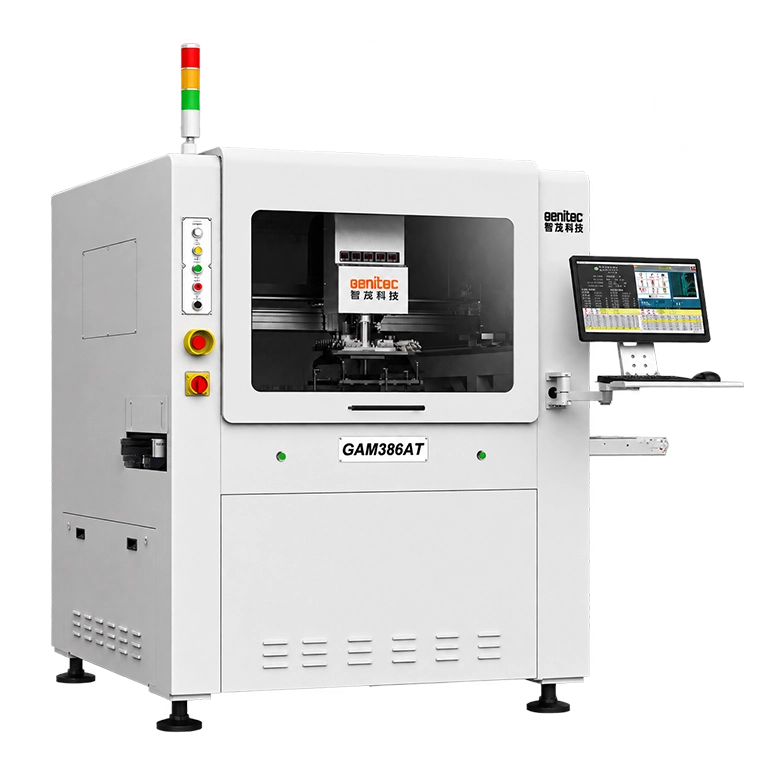
The GAM386AT uses a downcut structure with a fixture-based cutting method.
- Upper-side component height up to 70 mm
- Fixture-based routing
- Suitable for PCBAs with taller upper-side components
This option is more suitable when greater component-height clearance is required.
Not sure which configuration fits your PCBA? Send the component height, board layout, and cutting path to SEPRAYS for evaluation.
9. What Information Should You Provide Before Machine Selection?
To evaluate the correct router structure, provide:
- PCBA dimensions;
- maximum component height;
- component layout;
- Gerber or DXF files;
- cutting path;
- production volume;
- inline or offline production requirements.
SEPRAYS can use this information to determine whether an Upcut or Downcut PCB Router Machine is more suitable and whether a gripper-held or fixture-based structure should be considered.
Trial cutting can also be arranged when actual clearance needs to be verified.
10. Conclusion
For tall-component PCBAs, the key selection factors are component height, routing clearance, and cutting direction.
If there is enough upper-side space, an Upcut PCB Router Machine can be suitable. If tall components restrict tool access, a Downcut PCB Router Machine should be prioritized.
Send your PCBA layout or sample to SEPRAYS if you need help selecting the right router structure.
Email: millie@seprays.com
WhatsApp: +86 139 2552 7370